Posted on

WaveBoy Firmware 0.71 Released!

Today is WaveBoy firmware day! 0.71 is now out which, among other things, fixes a pretty nasty bug with the delay module. The bug relates to the buffer size not being adjustable and always defaulting to the largest size. This prevented a ton of fun lo-fi sounds and is a pretty important feature. The bug was introduced as part of the performance refactors made in 0.70. It’s been fixed and back to sounding glorious!

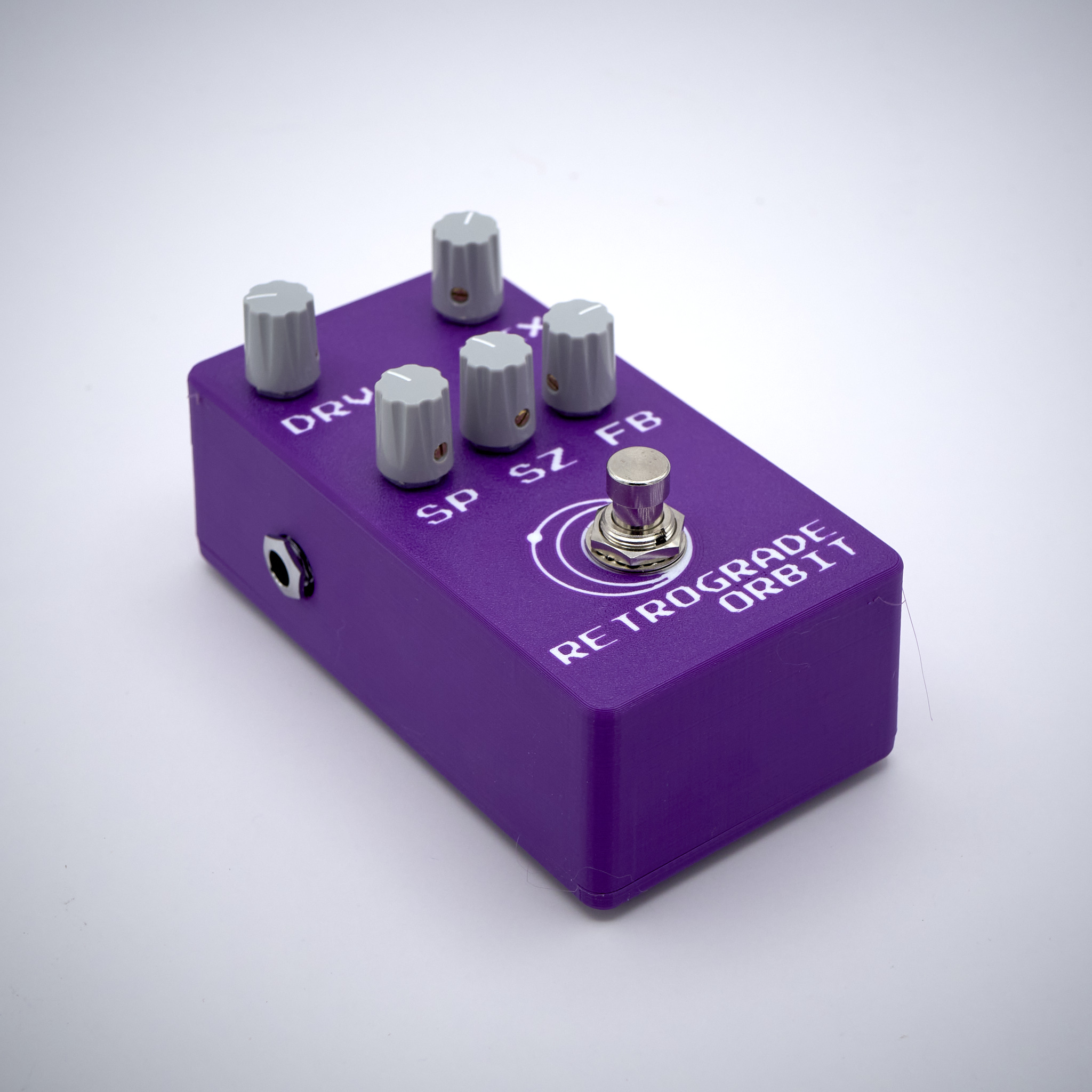
The delay module has also been formally renamed to Retrograde Orbit. Credit to my band-mate, John, for coming up with the awesome name since it’s both descriptive of how the delay works and is a kick-ass name!

The second major change has to do with the Sampler module. The structure of patches and metadata has been significantly revamped. This work has been coming given the JSON file conversions in other modules. Sampler now uses JSON files too. Instead of .txt files for each wave file, there is now a single patch.json file which stores the metadata for all of the waves in the patch. This now also includes the filename of the wave file being used. That means no more of those non-descriptive #.wav files but instead something like ‘snare.wav’. Wave files can also be resued between samples. That can be useful if you want to use the same source file but with vastly different settings. There is more work to do here, but this makes it much easier to build patches for the WaveBoy now.

The one downside is that the old Sampler patch structure has been thrown out. There is no conversion that happens on the WaveBoy itself to update old patches. I opted not to do this just to get 0.71 out sooner and assumed not many folks were making their own patches given how tedious it was to do so. It doesn’t take much time to convert things over, though if anyone runs into issues, do please reach out and I’ll gladly assist!

New patches are available on the latest SD card image which can also serve as examples for how to make your own patches. Just copy over the samples directory onto your own SD card and you’re ready to go! Be sure NOT to copy anything else (like tuning files) as you do not need to recalibrate or adjust tuning for this firmware upgrade. You only need to do that if you’re upgrading from a version prior to 0.70.

You can grab the latest firmware over on waveboy.bitbybitsynths.com/firmware. If you run into any trouble updating your WaveBoy, give us a shout and we’ll be happy to help!

Enjoy the revamped Sampler and Retrograde Orbit!

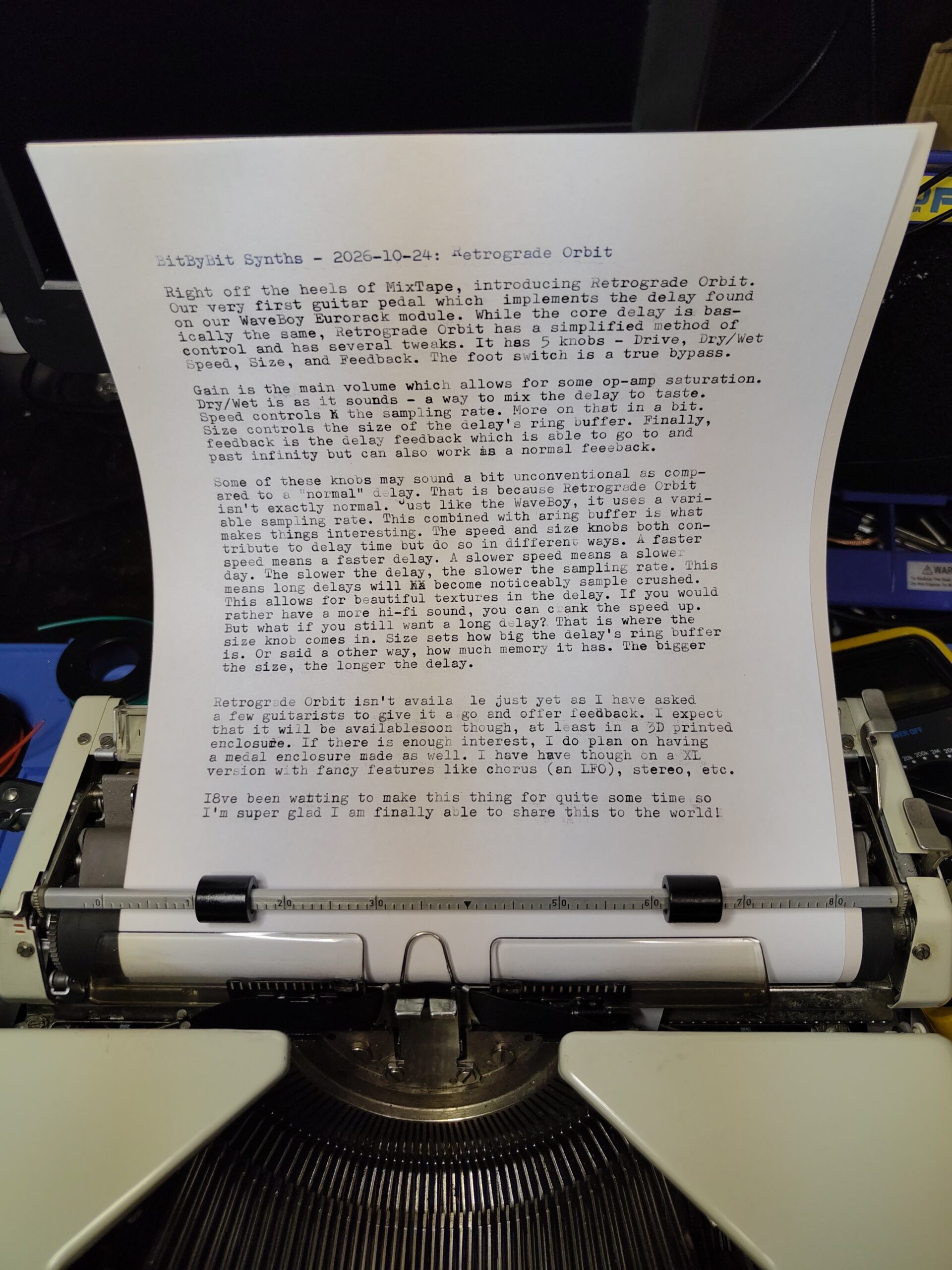
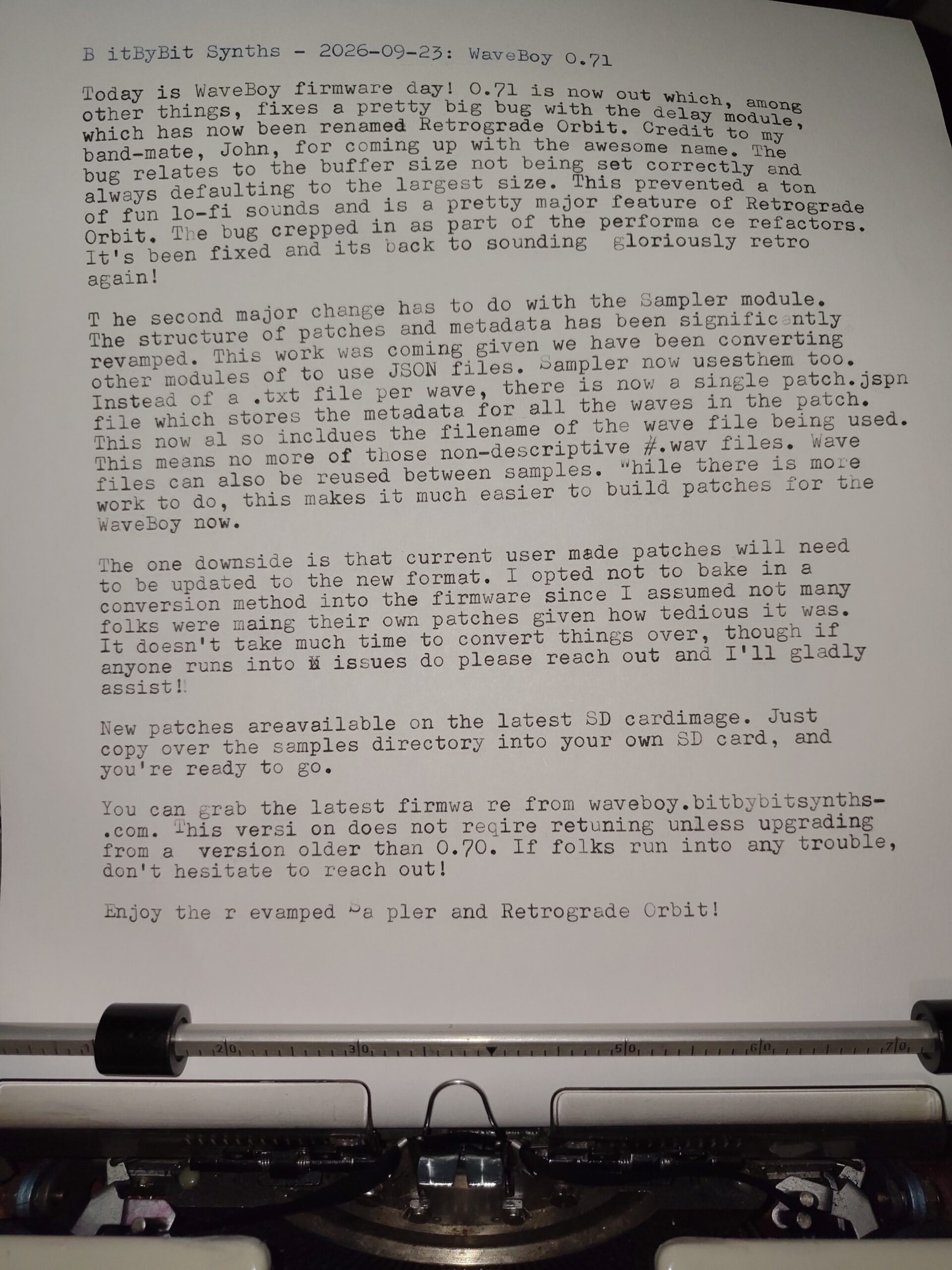
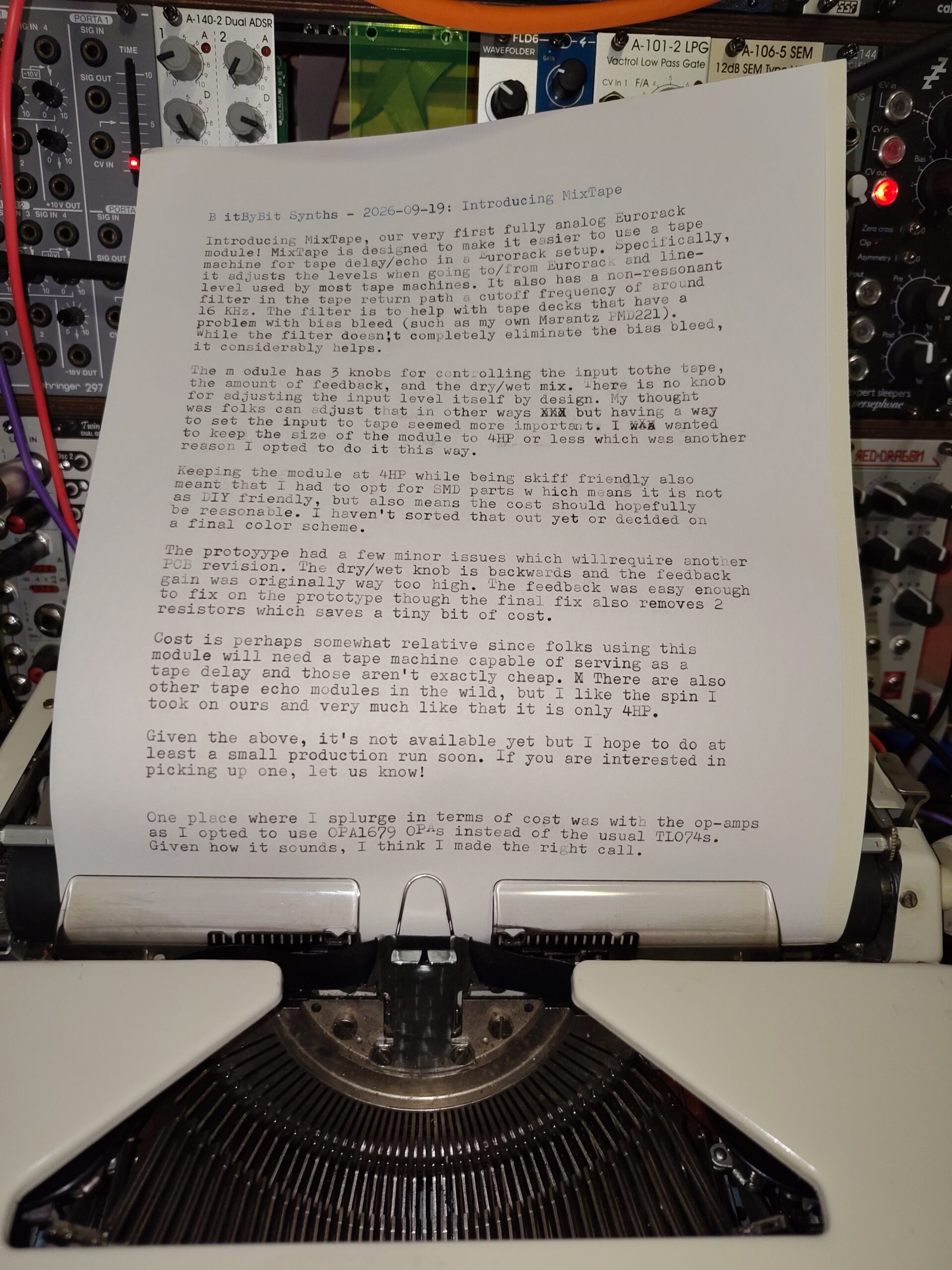
Typewritten First Draft
Posted on

Introducing MixTape

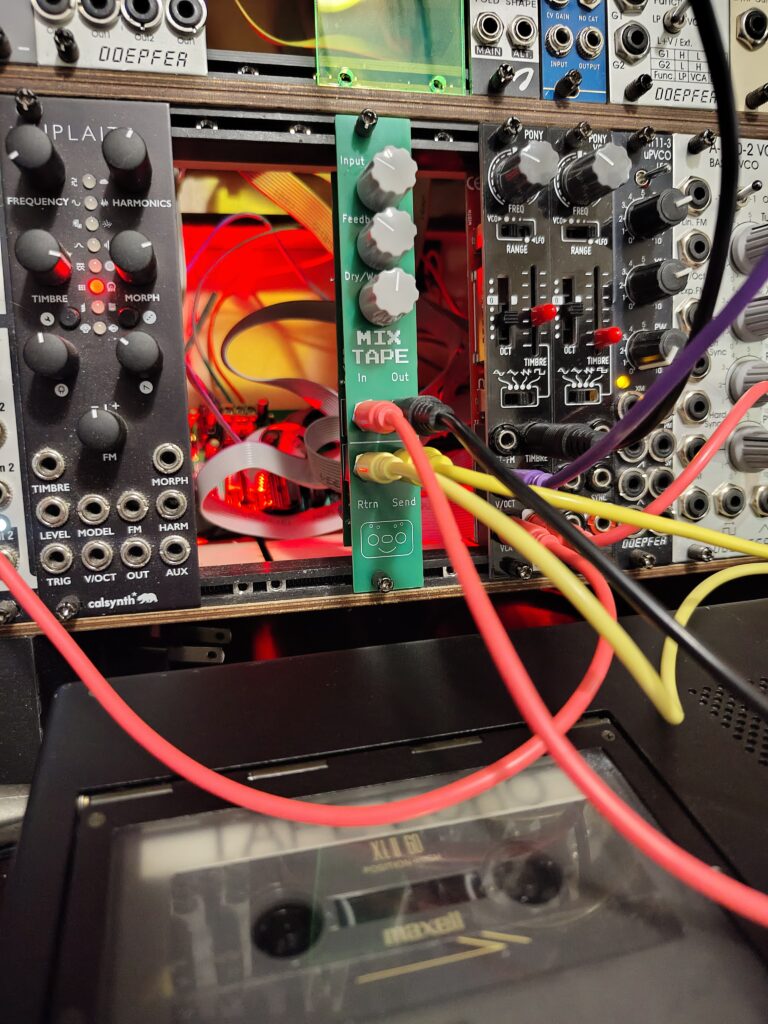
Introducing MixTape, our very first fully analog Eurorack module!

MixTape prototype mounted in a Eurorack with part of a Marantz PMD221 in the foreground.
MixTape prototype mounted in my Eurorack

MixTape is designed to make it easier to use a tape machine for tape delay/echo within a Eurorack system. Specifically, it adjust for Eurorack and Line levels when going to/from Eurorack and tape. It also includes a non-resonant low-pass filter in the tape return path with a cutoff frequency of around 16 KHz. Th efilter is there to help with tape decks which have a problem with bias bleed on the outputs (such as my own Marantz PMD221). While the filter doesn’t completely eliminate the bias bleed problem, it considerably helps.

Here is a short demo of what it sounds like (poorly recorded on a phone):

This patch uses an A-110-2 VCO as the main voice with the PWM being modulated by an LFO into the A-106 filter which is also being modulated by another LFO. The WMD ADSRVCA is the combined envelope/VCA. The output of the filter then goes to the MixTape which send the audio to my Marantz PMD221 in low speed mode with the pitch knob all the way to the left (the slowest delay I’m able to get with this deck).

The module has 3 knobs for controlling the input to tape, the amount of feedback, and the dry/wet mix. There is no way to control the input level directly and this is by design. My thought was folks can adjust that in other ways within the rack and controlling the input to the tape felt more important to directly control to help with gain staging.

The other reason for not having a global input is that I wanted to keep the module small – targeting 4HP or less. Keeping the module at 4HP while being skiff friendly also meant that I had to opt for using mostly surface mount (SMD) parts. This means it is not as DIY friendly, but also means the cost should hopefully be reasonable. One place where I spluged in terms of cost was with the op-amps. I opted to use OPA1679 OPAs instead of the usual TL047s common with Eurorack gear. Given how it sounds, I think I made the right call there.

Cost is perhaps somewhat relative since folks using this will need a tape deck capable of echo. That means, at minimum, a 3-head deck but having the ability to adjust the tape speed during recording is also important. Decks which can do this aren’t exactly cheap. One route is to consider a new-old-stock UHER 4400. I bought mine from here. MixTape also isn’t wholly unique – there are other tape echo helper modules in the wild, but mine I think takes a unique spin on it with the tape input and addition of a filter. Plus I quite like that it is only 4HP.

The prototype has a few minor issues which will require another PCB revision. The dry/wet knob works backwards and the feedback gain was originally way too high. I had it set to a comical 3x whereas unity gain (1x) is plenty. Fixing the feedback on the prototype was easy enough (removing a few resistors and adding a bridge wire), though the dry/wet requires cutting traces and things (hence the need for a PCB update). There are also some minor layouts changes I would like to make as well as decide on a proper color scheme.

That means at present, MixTape isn’t available it but I do hope to at least do a small production run soon. If you are interested in picking one up, let us know!

And watch this space for some other prototypes we’re working on as well as some exciting WaveBoy updates coming soon!

Typed First Draft
Posted on

My Live Setup: The Donatello

With hopefully more live shows coming up in the band, I decided it was time to build my own stage case. I had some B-stock neon green acrylic lying around from a custom project and decide to get a little creative with it. Neon green with sparkly purple printed plastics, which I am calling The Donatello.

The build itself is a Make Noise Univer Inter, a 2HP LFO, a Befaco Slew (v2), Mutable Instruments Veils (oh how we miss you Mutable!), a Doepfer mini-Wasp and, of course, 2 of our own WaveBoy‘s. The WaveBoys are the soul of the rack. In the normal live config, the first one will be handling leads and basses using Wave mode as well as a new mode that will be available in the next firmware (0.67). I’ll keep that under wraps for now. The second is functioning as a sampler. We’re using it for one sample in particular – our NES bassbomb. I can trigger this using a pedal on my stage keyboard (it is very fun, but with great power comes great responsibility).

For most of the show we’ll be using it as a chiptune sound source alongside a MidiBox SID and Analogue Pocket (running LSDJ or playing NSFs). There are a few songs where I’ll go from mild to wild with some raging LSDJ-style vowel type stuff where I may mess about with the Wasp. The Wasp, though it’s a glorious pairing for WaveBoys, is one I might replace. Not because I don’t love it (I absolutely do!) but just because it is a tad less reliable given the hex-inverter chip can give up the ghost and I can’t replace that in the middle of a show. Most of the time though the filter is just to cut the edge off the aliasing when I’m using more grittier waveforms.

The slew is for, well, slew. I will be controlling its behavior via a slider on my keyboard. Raging chiptune leads sound great with tasteful amounts. The LFO is for swinging through waves (for the vowel stuff) and for the yet-to-be-talked-about new mode I’m working on. I will control the amount and speed also via the keyboard and it will be mixed in with the modwheel.

Veils is for mixing those two sources as well as lower the hot outputs of the WaveBoy’s down to line-levels to feed into our LiveTrak L6 mixer. Finally the Univer Inter was chosen for it’s MIDI Thru capability which makes hooking up our MidiBox SID much easier. Fewer wires to mess with and no need for an external MIDI router. The whole setup is meant to be battery powered so fewer components is nice. I do with the Univer Inter has an auto-arp mode (like the Midibox SID). I wasn’t able to find any current MIDI to CV modules that have that feature. I want it so much that I have plans to make my own as a future module.

All that’s the normal mode, but I do have the option, albeit not during a show, to repatch to other things. Notably I can use the 2nd WaveBoy as a delay if I want. Or could opt for duo-phonic or 2 voice modes. Doing that means I will loose the LFO control and LFO/modwheel mix. Fortunately the WaveBoy’s have some modulation built-in which can do those (I’m also working on a slew for the next firmware release hopefully). They are just harder to control in a live show with only one CV input (meaning that, yes, both a WaveBoy Micro and WaveBoy Advance are still something I am thinking about!)

Speaking of built-in features, though. Notice there is no envelope. That is because I am using the internal envelope on the WaveBoy. It does mean I can’t easily change the parameters during a show, but I found for most songs we want to use this setup on, I can dial in an ADSR that works well enough for all of them.

I’m rather happy with the build! Less so the price tag or the stealing of parts from my main rack but I think it will be a lot of fun! The one tradeoff I made that I’m not sure about is, I do tell our customers that do live shows to consider the birch plywood cases. They are built like tanks. The acrylic looks nice but it can be fragile. It probably won’t take a fall very well. So while not the best choice for live shows, I did want to have something eye-catching. Admittedly there is a tad bit of cross promotion going on there…

– Tim

Posted on

Of Discord and RISC-V

Apologies for the silence on the blog! We have been busy though more lately on our photos side of the house. Breaking in now to say we now have a Discord server! Why Discord and why now? Primarily it is because of the work I have been doing behind the scenes with the Turbo V project. The Turbo V is an extension of the TurboWave sound solution I have been working on, primarily for the Commander X16. It is a design I have had in my head for a few years now.

I quite enjoy the Commander X16 and think it and 6502 is a great way to start learning assembly. But not long after it came out, I realized there exists no corollary for RISC-V. RISC-V feels like a natural next step after 6502. Being that RISC-V exists in tiny microcontrollers (MCUs) all the way up to modern computers, it has modern relevance. It is also an open ISA which is a very big deal as compared to the patent encumbered ARM ISA which has caused shenanigans in the industry as a consequence.

The Turbo V lovingly takes some concepts of the Commander X16 while making some changes and updates. Unlike the X16, the Turbo V cannot purely be built from off the shelf hardware – there is no generic RISC-V CPU that is easily usable in the same was as a 6502. There are lots of RISC-V options, but most of the ones used for retro-like designs are using MCUs which do not expose much of the system out. That is not to say they aren’t very cool! But I wanted the Turbo V to embody a more conventional computer design of having a CPU with an external bus.

The goal is still a retro-style computer that is easy to understand which can be used to write assembly programs (including games and demos of course) that is also extendable given the 8-bit bus. Since a real CPU doesn’t yet exist that fits this need, I will be using an Upduino as the “CPU”. It has just enough I/O pins to expose out an 8-bit bus and includes some SRAM which can be used for high speed low RAM and system registers. This will serve as the CPU and bus manager. The rest of the system (MCU, ROM, RAM, VERA, TurboWave, etc.) will sit on the bus and the current hardware proposal uses a backplane-like design . The physical connections, at least for a prototype, will be a 2×40 pin DIP connector using a small rigid backplane PCB. The idea is these can be stacked on top to still have a small footprint in a “Tower of Power” sort of design.

Many parts will have to be surface-mount by design, but I tried to design things in a way that allowed others to design through-hole boards where they can. The main boards will be a mix and this is partly for cost and partly for part availability.

As you can tell, the project is so big that it will both take a while to do. While I have a working emulator now, the hardware design needs to get worked on, the kernel will have to be built basically from the ground up, prototypes need to be made, etc. etc. And the computer, while it will meet my needs, won’t be super relevant without a community. Discord is the first place to see if there is interest in this crazy idea and that is what pushed me to put one together.

The Discord will be for the Turbo V but also as a means to keep in touch with us for other projects and businessy things (if folks need order help, have questions, etc.).

If you want to join, you can sign up here. You can also learn more about the Turbo V here.

Posted on

SkiffyPower

I get asked somewhat regularly about why we don’t offer power supplies with our cases. It’s not because we haven’t wanted to! It’s because a fully built power supply requires certifications, tests, and acceptance of risk. We find the 4HP power options to be suitable for most applications, although essentially all of these supplies are using tiny switching power modules. These are both flexible and, properly designed, easily good for audio application. But they can be a bit pricey.

Recently, I decided to look into if I could make a power supply as a kit. It would be based on a pretty standard bipolar linear supply. I’ve actually already designed an active bus board, meaning a lot of work I have already done.

Active bus board

The bus board expects a bipolar DC supply. In my case, this comes from an external linear unregulated supply. The unregulated supply requires AC mains voltage and isn’t suitable as a kit, though for those curious, I am happy to share the design.

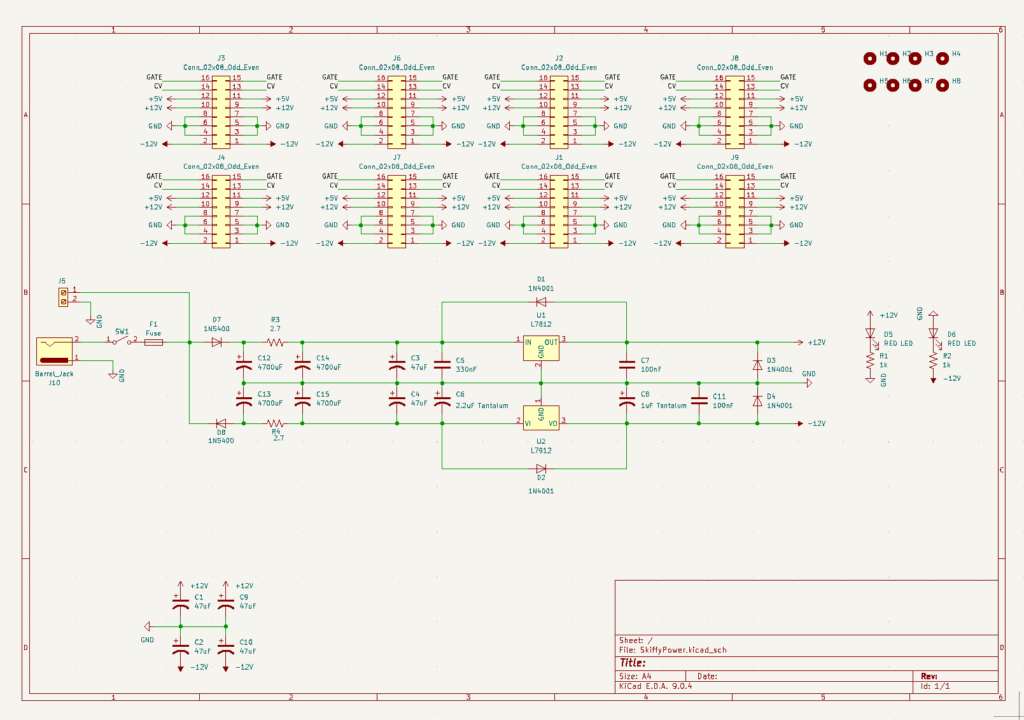
I have a design I’m pretty happy with in the bus board, so all I need to do is figure out how to come up with the -/+ 15V or so needed to feed the circuit. It took looks of circuit sims and calculators and things, but I ended up coming up with this:

It is mostly the same as my active bus board except it has a barrel jack to provide 24VAC which is then half-wave rectified and filtered to feed the linear regulators. This includes an RC filter which actually I don’t think is strictly needed, though this has the added benefit of dropping the voltage as the load goes up which has an added bonus of requiring less heat dissipation for the regulators.

I designed it to provide around 500mA or so, which is plenty for say the Skiffy 42 minus edge cases where some power hungry modules are being used. It may not be enough for the Skiffy 642. That is why I added a screw terminal though. With the power AC supply, two boards can be linked together to share the same AC input.

I still need to design the PCB, test it in the real world, among other things. But this could be a design we are able to offer as an option for some of our cases. It is not a design that can scale up to huge power hungry racks, but that wasn’t really the point of this particular design. Also of note is that it does not provide +5V by itself. I was thinking of making a smaller board that could be plugged into one of the 16-pin connectors for that. The reason being, nearly all modern modules that need +5V seem to generate it themselves. That is what we do for our first module, the WaveBoy. If it’s rarely used, it makes sense to save on the part count for the default use case.

It remains to be seen if we’ll end up doing this. If you have thoughts or opinions, do let us know! We’d love to hear from you!

– Tim

Posted on

SonicState Featured the WaveBoy In An Article!

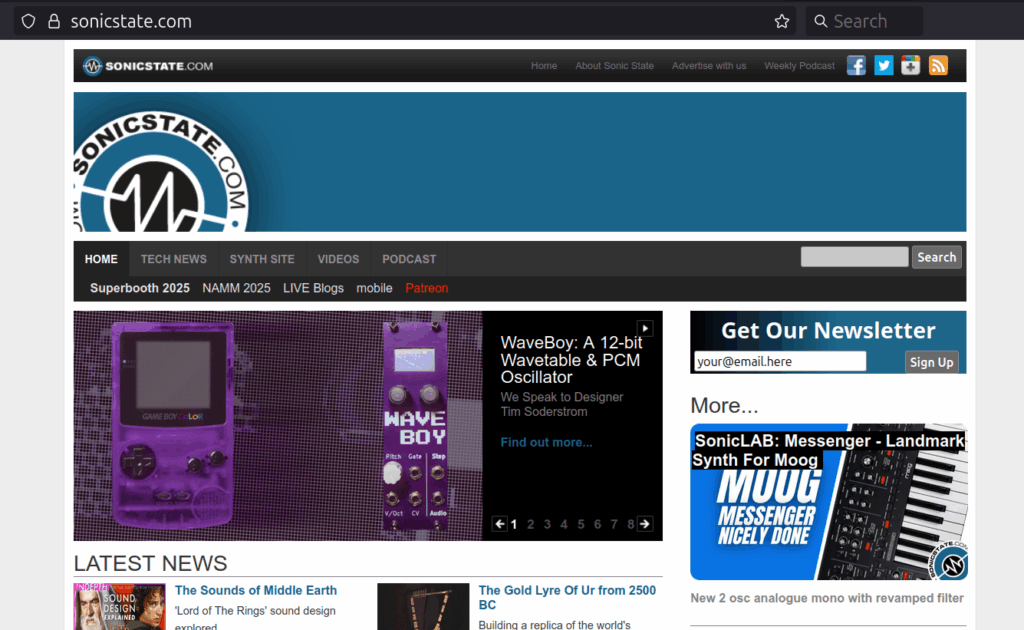
I am just floored! Paulee, one of the frequent contributors to Sonicstate asked me for an interview about the WaveBoy. So of course I said yes and the article just came out this morning! It even hit the front page! I never thought our tiny synth company would have made something as prestigious as Sonicstate. It was an incredible experience. Of course I recommend folks give it a read as it covers some of the history and design decisions I made. Sonicstate in general, for those that don’t already read the web publication or listen to the podcast and watch their video content, has some great content. It’s one of my go-tos for synthesizer info and I recommend it! Not just because we’re featured, but that was an incredible honor for us!

Sincere and deep thanks for interviewing us, but also for being such a good source of synthesizer news and information! Thanks also to Paulee! Of note in addition to their Sonicstate work, they also have a YouTube channel that covers some great content. I learned a ton of information about the Amiga soundchip for instance. I had no idea it was as flexible as it is or that there were a lot of audio applications for Amigas. I kinda just thought Soundtracker was the thing. A bit of shame on me given I grew up on trackers and the Demoscene.

For folks interested in the WaveBoy, it’s available now as both a fully assembled version as well as a kit. They are made to order and given the above article, we may be busy cranking a lot of these out. So thanks for your patience while we work to build all these!

Posted on

WaveBoy 0.57 Firmware Released!

I missed writing about 0.56, oops! So I’ll mention the new features from both:

  • Save States
  • Wave Mode Dual Audio Output Option
  • Auto-Screenaver
  • Pitch Knob Range Configurable
  • Bufixes with tuning, UI

If upgrading from 0.55, folks will need to grab the updated SD card image for the update config.txt. Upgrading from 0.56 to 0.57 does not require any changes, as the firmware will attempt to update things as needed. The wave patch format changed slightly and will get updated when saving a wave patch.

All these features are good, though the dual audio output is a standout. It replaces the Step output with a secondary audio output that follows the wave frame but can either be detuned or set to a note offset (for doing fifths or having a sub-oscillator for instance). While this does make the WaveBoy a bit less GameBoy like with this mode, it does make it more flexible and adds its own sort of color to the chiptune / 8-bit / lofi landscape. It’s very fun!

The other features are mostly quality of life improvements. The save states in particular is quite nice. WaveBoy will now save the configuration of the Volume envelopes as well as the last UI screen and mode that were used. This way you can pick up where you left off in between sessions.

Lots more features to come for sure but 0.57 really makes WaveBoy a very capable module. There are still some in stock at the time of this writing! More will be coming though with the tariff situation, our plans are a bit on hold for the moment. So if you want one, now might be the time to get one.

Posted on

ADCs and Noise

For the past week or so I’ve been spending much of my spare time trying to improve pitch tracking in WaveBoy. I made some pretty giant strides by adopting a per-note tuning approach. This works well, but it uncovered and ugly problem I haven’t noticed before – certain pitches were “noisy” when sampling from the ADC. This noise was heard as audible steps which was both unpleasing to the ear and made it hard to tune.

To improve things where I want, I suspect I will need to make another WaveBoy PCB revision to add a low-pass filter to at least the V/Oct input (and maybe the Tune input, though I’m not sure on that one). There’s noise coming from somewhere and one way to improve things is to use a low-pass filter at the ADC input. Since the V/Oct is a slow changing value (relative to audio for instance), the low-pass can be pretty low. But I need to do more work there to see.

Even without a PCB update, I was able to greatly improve things by using both hardware and software averaging. In the software case, I’m using floating-point math so I can have more precise results when averaged. While not perfect it’s pretty good. And some imperfection is kind of part of the purpose of WaveBoy anyway.

This now unblocks actual feature development again, with the next thing I want to work on being “Manipulators”. These let you manipulate the selected wave frame by a number of algorithms which allows one to build a sequence of frames much more easily and right on the module rather than having to edit a text file externally (something I know many folks found not fun).

Once I have those out, the next step is full wave generators (which may themselves manipulate the Manipulators). This will allow one to start with a basic calculated or drawn wave and produce a full set of frames with parameters. It will be very similar to the LSDJ way of doing things, something that’s always been on my list. Until recently I just wasn’t sure how to tackle that.

What does all this mean? It may mean the full production version of WaveBoy may take a little longer to produce. Not because of the Manipulators (those can be added later) but because having good pitch tracking is pretty important and if I can make that better/easier with a few minor hardware additions, I should do that.

Posted on

Next WaveBoy PCB Revision

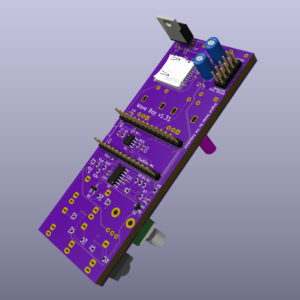
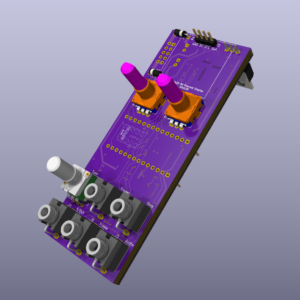
I’ve spent the weekend off and on working on another PCB revision to WaveBoy. The next revision will use purple PCBs to make the front panel. Not many people will see it (unless folks have transluscent cases, like my acrylic ones) but it’ll help identify the board revision.

Folks that have already purchased the Pre-Release, worry not! This version doesn’t add any features though I will have to keep multiple versions of the firmware around between the revisions, though that’s no big deal.

The main change is switching up the right encoder wiring to use pin 0 instead of pin 13 for one of the encoder pins. Pin 13 is used by an on board LED on the ItsyBitsy which has to be removed for the encoder to work properly. This update avoids that extra step which makes assembly easier but doesn’t otherwise change the functionality.

Otherwise it’s minor updates: The SD card slot has been moved over so the card is easier to remove. The protection diodes are moved to the opposite side for using a keyed connector for Europower and I cleaned up a bit of a layout. After the pre-release (I have one PCB left), I will probably settle on the yellow/blue OLED displays as well as I can get those in bulk.

I plan on doing a medium run of 50 PCBs which, along with looking at some alternative suppliers, should keep the module cost lower. To say I’m a boutique Eurorack store is perhaps an understatement so while this thing would be much cheaper if I were able to make thousands, as much as I love my quirkly little module, I don’t see it getting anywhere near that adoption. If it does, that’s a great problem to solve for another day. But that does mean the cost of the module probably won’t move too much.

Posted on

WaveBoy Firmware 0.3

Here’s a quick demo of some of the new features of Firmware 0.3, including new default patches (including a wrapping Saw to get the LSDJ style wave vowel/filter sound) and 6 noise modes as well as showing what it sounds like through a filter. Wasp in this case, though I didn’t go bananas with it since I wanted to showcase sounds from the WaveBoy itself.

https://www.youtube.com/watch?v=LCqC3Gd7GWg

No talking just noise!